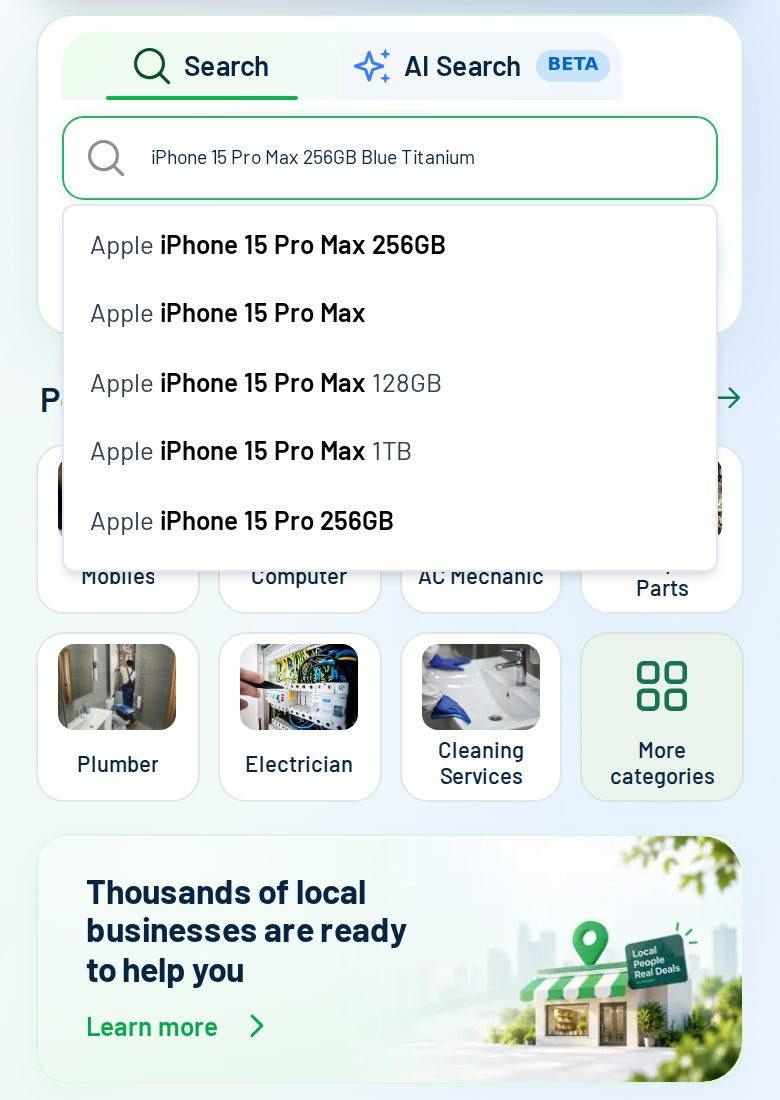
Describe what you need
Type the model, storage and colour, and add a photo if you have one. FindHub suggests what shops sell as you type.
 العربية
Send one request on findhub.app and let nearby shops answer. Each reply shows the shop's own price (VAT included), whether it is in stock, distance, rating and pickup or delivery, side by side. You compare the whole offer and choose, without calling or visiting each shop.
The cheapest number is not always the best deal. FindHub puts stock, distance, rating and delivery next to the price so you can judge the full offer. Prices are given by the shops, so confirm the details with the shop before ordering.
Screens from the FindHub app with sample shop names and sample prices. Real replies depend on your area and the time of day.
Type the model, storage and colour, and add a photo if you have one. FindHub suggests what shops sell as you type.
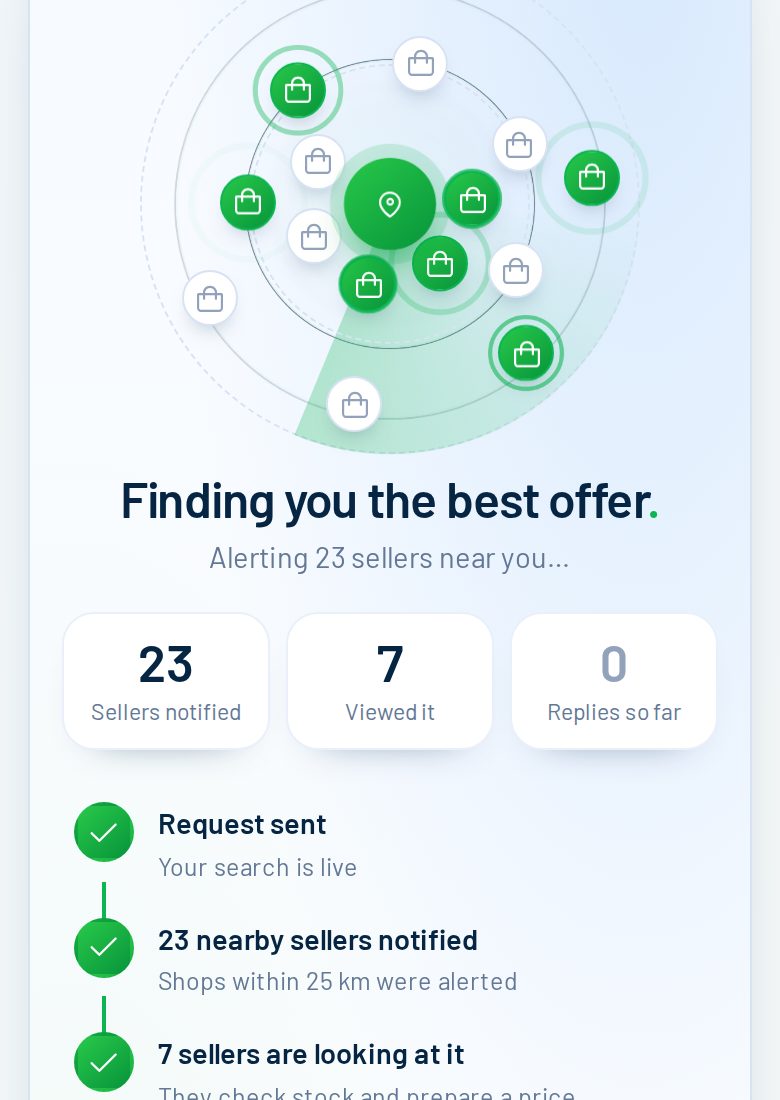
Your request goes to the shops within your distance that sell it. Here 23 shops were notified and 7 opened it within seconds. Replies usually arrive within minutes.
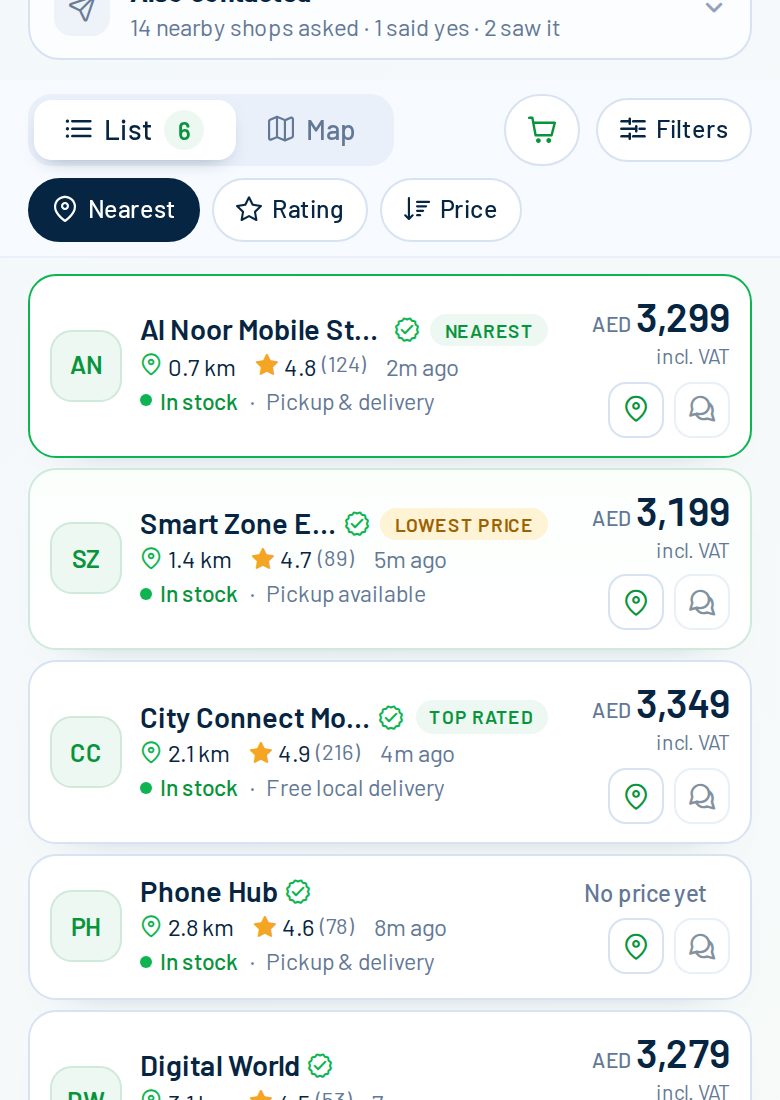
Each reply shows the price (VAT included), whether it is in stock, distance, rating and pickup or delivery. Here the lowest price is AED 3,199, the nearest shop is 0.7 km away and the top-rated shop charges AED 3,349.
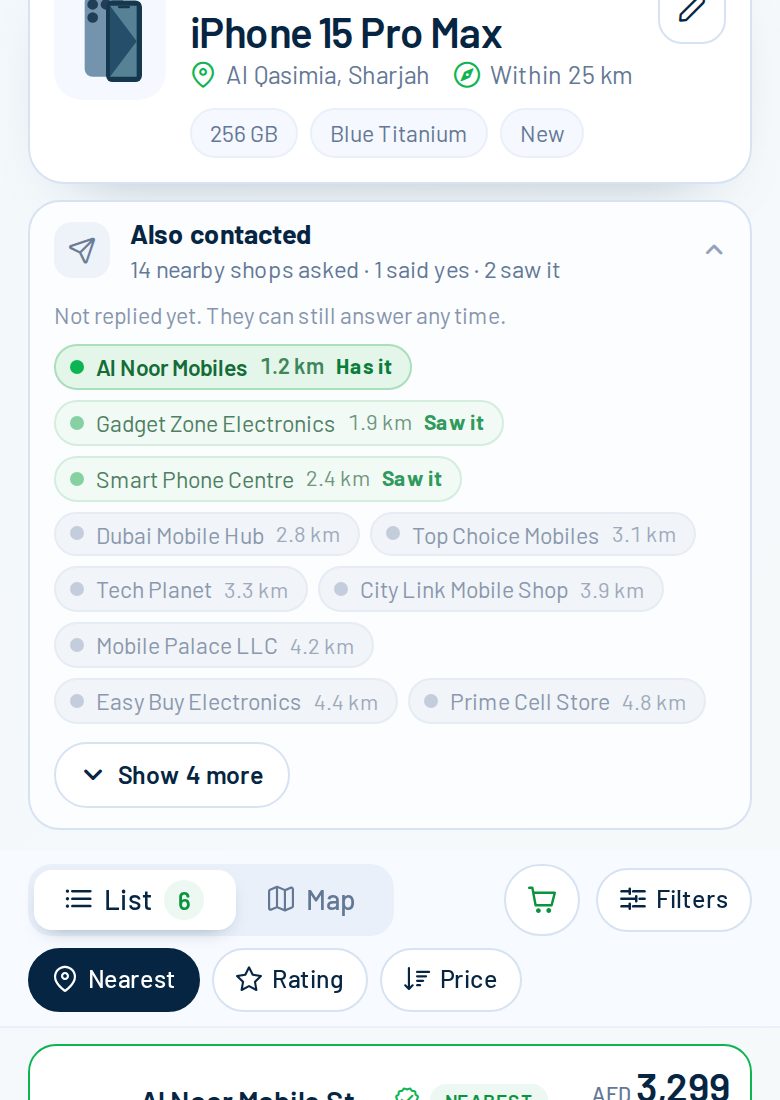
Shops that have not answered yet appear under "Also contacted": grey means asked, light green means they opened it, green means they say they have it. They can still reply at any time.