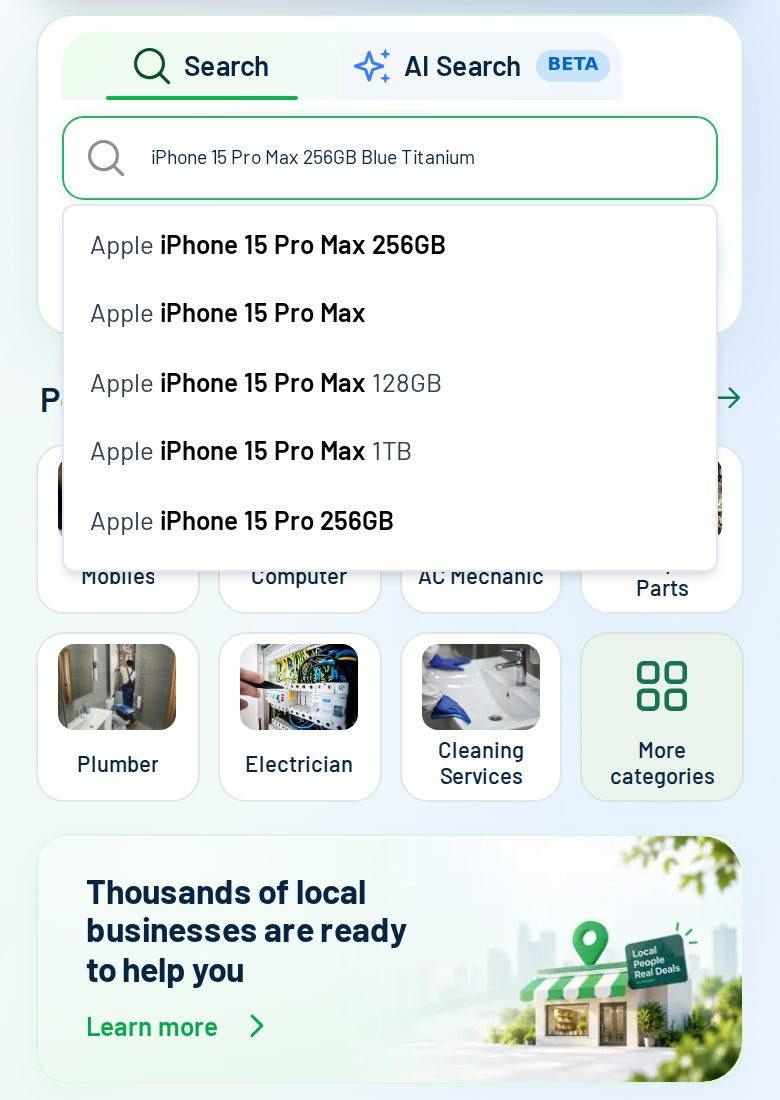
Describe what you need
Type the model, storage and colour, and add a photo if you have one. FindHub suggests what shops sell as you type.
 العربية
You choose a search distance from 5 km to 200 km, and you can change it at any time, even after you send your request. A small distance suits a quick pick-up, and a large one helps with rare parts. Only registered shops inside that distance are asked.
The distance is set from the location you choose on findhub.app. In the AI chat there is a small distance button next to the message box, and the same control is on the waiting screen while shops reply.
Screens from the FindHub app with sample shop names and sample prices. Real replies depend on your area and the time of day.
Type the model, storage and colour, and add a photo if you have one. FindHub suggests what shops sell as you type.
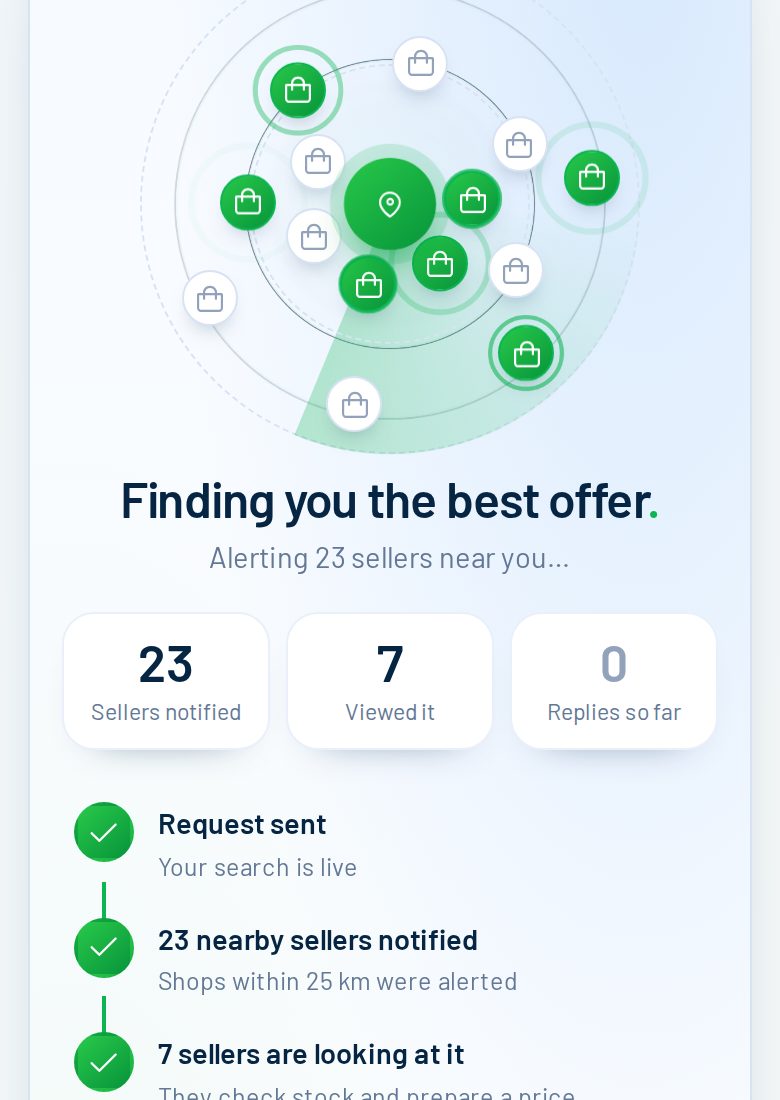
Your request goes to the shops within your distance that sell it. Here 23 shops were notified and 7 opened it within seconds. Replies usually arrive within minutes.
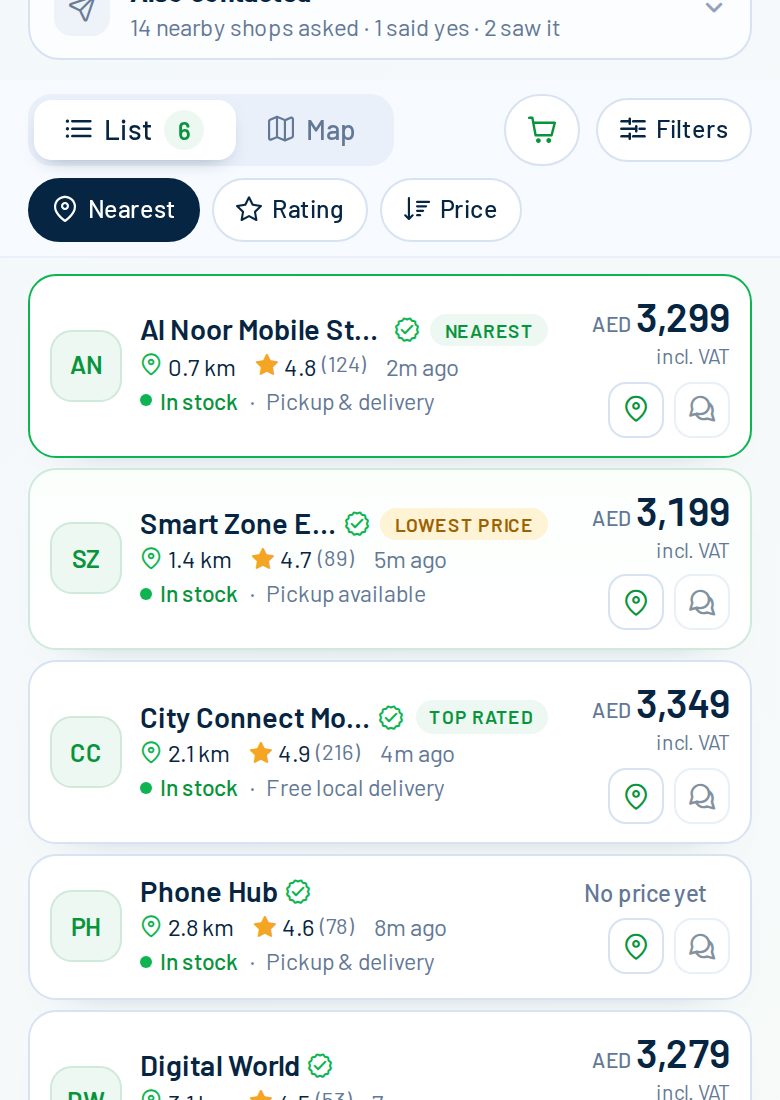
Each reply shows the price (VAT included), whether it is in stock, distance, rating and pickup or delivery. Here the lowest price is AED 3,199, the nearest shop is 0.7 km away and the top-rated shop charges AED 3,349.
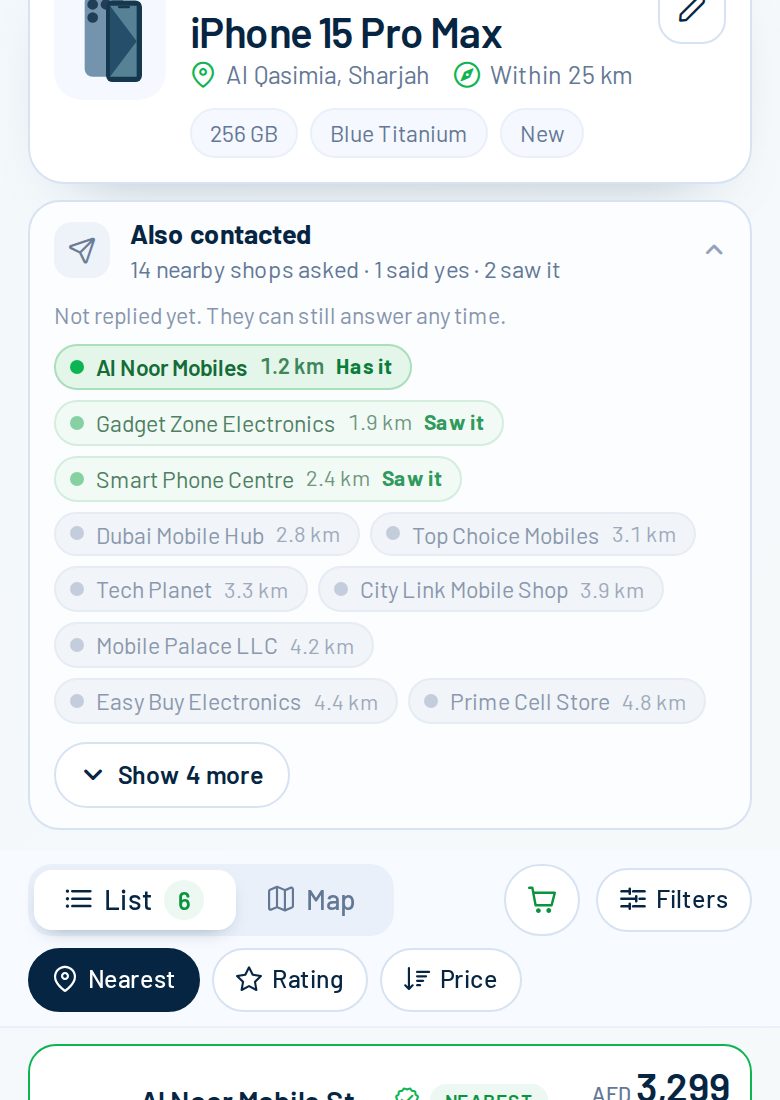
Shops that have not answered yet appear under "Also contacted": grey means asked, light green means they opened it, green means they say they have it. They can still reply at any time.